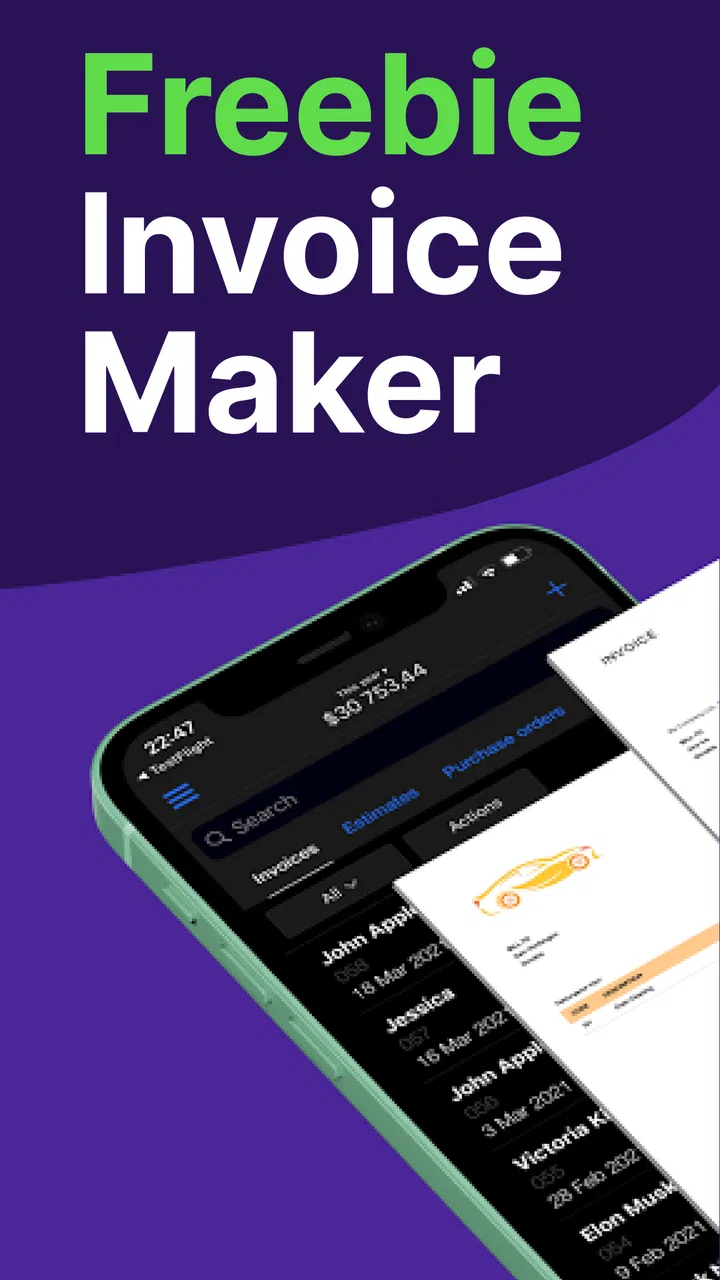
Freebie Invoice Maker Simple
- 4.8
- Rating
- 500.00K
- Installs
- Free
- Price

 Analysis by App-foxy
I tested Freebie Invoice Maker Simple as a practical finance app for creating invoices without turning a small job into an evening of paperwork. My first impression was straightforward: it is built for people who want to enter customer and service details, produce a professional-looking invoice, and keep the process moving. The app is free to start, carries an Everyone content rating, and comes from Invoice Generator, so its focus is clear rather than broad.
That narrow focus is its main appeal. This is not an accounting suite trying to cover payroll, tax planning, inventory, banking, and business forecasting in one place. It is an invoice maker. If you are a freelancer, tutor, cleaner, repair worker, consultant, or occasional seller who needs a clean document quickly, that simplicity can be more useful than a large business platform filled with menus you rarely touch.
The app has built a strong audience, with an average rating of 4.8 from around 19 thousand ratings and more than 500 thousand installs. Those figures do not replace personal testing, but they do match my experience of the product’s general character: the basic path is easy to understand, and the app does not make you learn a complicated bookkeeping system before creating your first invoice.
You May Also Like

 Blood Strike: 2.5 Anniversary
Blood Strike’s Loadouts Turn Every Drop Into a Tactical Gamble
A close look at Blood Strike’s custom loadouts: how fast access to signature weapons reshapes its battle royale rhythm, rewards preparation, and narrows the gap between fights.

 Pandora - Music & Podcasts
Pandora’s Music Is Easy to Start, but Harder to Recover
Pandora’s strength is its low-effort path from a seed to a station. Its weak spot is how much confidence it asks you to place in connection, setup, and quiet recovery.

 8 Ball Pool
 Is Built on Rivalries, Rematches, and Routine
A close look at the rivalries, rematches, shared routines, and unanswered safety questions that turn a quick pool match into a persistent mobile community.

 Samsung Music
’s Quiet Strength Is Playing What You Already Own
Its reach comes less from spectacle than from dependable access to a personal library. That simplicity is both the app’s strongest retention engine and its ceiling.

 AccuWeather: Weather Radar
AccuWeather Review: A Quick, Clear Forecast for Everyday Decisions
For everyday plans, the best forecast is the one you can understand quickly. AccuWeather makes rain timing, radar, and local conditions easy to act on, with a few trade-offs.

 Hill Climb Racing
Why Hill Climb Racing Still Turns Crashes Into One More Run
A tiny car, a bumpy hill and one more upgrade: Hill Climb Racing keeps resurfacing because its simple chaos makes every near-miss feel personal.
More From Our News Desk



Starting with a simple invoice workflow
When I start an invoice, I focus first on getting the customer and job details clear, since that is where a quick workflow can still go wrong. This section looks at how the app’s straightforward approach helps with routine billing and where a little care prevents avoidable corrections. I’ll then turn to the setup checks that make repeat use more dependable.
What the first invoice feels like
The normal workflow is familiar. I begin by entering the information that identifies my business, then add the customer, describe the work or products, and review the totals before preparing the invoice. The useful part is that each stage has a clear purpose. I do not have to decide whether I am setting up a full accounting profile or configuring a sales pipeline. I am simply building a document that another person can understand.
That makes the app a good fit for a first-time independent worker. Someone who has previously written invoices in a notes app or copied an old document can move to a more consistent process without needing specialist knowledge. The result is also easier to reuse than a handwritten template because the important fields stay organized in one workflow.
In everyday use, I would treat the customer and business details as the foundation rather than rushing straight to the line items. A small spelling mistake in a name or an incomplete contact detail is more annoying to correct after sending than it is to catch during preparation. I also recommend reading the description as if I were the customer. “Work completed” may be enough for a personal reminder, but a clearer description helps both sides remember what was billed.
A realistic use case
Imagine a freelance photographer finishing a small event assignment. Immediately after the job, the photographer can open the app, select the client details, add the service description, enter the agreed amount, and review the invoice while the details are still fresh. That is a better habit than waiting until the end of the month and trying to reconstruct several jobs from messages and bank activity.
The same approach works for a language tutor who bills weekly lessons, a gardener who has recurring household customers, or a repair worker who needs to separate labor from materials. The app is most helpful when the work is already agreed and the user needs a tidy record, not when the user is still trying to calculate a complicated project from scratch.
One practical habit I found valuable is creating the invoice immediately after confirming the final scope, but not sending it until I have checked the customer name, line descriptions, amount, and any payment instructions. That short pause prevents the common mistake of treating a quickly generated document as automatically correct. The app speeds up preparation; it does not replace a final review.
Why the focused design matters
Compared with a word processor, this app gives the invoice task more structure. A document editor offers freedom, but that freedom can lead to inconsistent layouts, forgotten fields, or a different format for every customer. Compared with a spreadsheet, the app feels less like a calculation sheet and more like a finished customer-facing document. A spreadsheet may be better for analyzing many transactions, while this tool is better for producing individual invoices without building your own template.
It also occupies a useful middle ground between a blank template and a full business-management service. A blank template can be inexpensive but requires more manual upkeep. A larger service may offer deeper records and reporting but can feel excessive for a person who sends only a handful of invoices. Freebie Invoice Maker Simple is strongest in that middle space.
Settings I would check before relying on it
Experienced users should spend a few minutes reviewing the available setup choices before creating several invoices. The most important checks are the identity details that appear on the document, the way amounts are entered, and any options that affect how the finished invoice looks. This is not glamorous work, but it turns a one-off tool into a repeatable system.
I would first confirm the business name and contact information. Then I would review the customer entry carefully, especially if two clients have similar names. If the app lets you keep commonly used details available for later use, that can reduce repeated typing, but I would still verify the selected customer every time. Convenience is helpful only when it does not encourage sending an invoice to the wrong person.
Next, I would decide on a consistent description style. For example, I might use “Website maintenance — March” rather than a vague phrase such as “Services.” Consistent wording makes old invoices easier to understand and gives customers a clearer explanation of what they are paying for. This is a workflow improvement rather than a special feature, but it makes a noticeable difference when the app is used regularly.
Amounts deserve their own check. Before finalizing, I would look at whether the figure represents a fixed project, an hourly total, or a collection of separate items. If the job includes several distinct parts, listing them individually is usually clearer than entering one combined amount. If the app’s available options do not match the way you need to calculate a complicated bill, that is a sign to calculate the figures elsewhere first and use this app for the final invoice document.
The current version is 26.3.10, and the app runs on Android 7.0 or later. That makes compatibility fairly broad for users with older Android devices, although I would still keep the operating system and app updated when possible. A finance tool should be treated as part of a careful record-keeping routine, not as a place to experiment casually with unreviewed documents.
Building repeatable habits instead of starting from zero
The biggest speed improvement comes from standardizing what does not change. I would prepare a small personal checklist: confirm the customer, add the service period, describe the work, check the amount, inspect the final document, and then send or store it. Repeating that order reduces the chance that I will remember the money but forget the explanation, or remember the customer but miss an important detail.
For recurring work, I would use the previous invoice as a reference while creating the next one, where the app’s workflow allows that kind of reuse. I would not blindly copy everything. The customer, date, service period, amount, and description all need a fresh check. The useful shortcut is the structure, not the assumption that last month’s information is still correct.
Another effective pattern is separating preparation from sending. I can create several draft invoices during a quiet period, then review them together. This is faster than interrupting every job to complete the entire process, while the final review still protects against errors. It also makes it easier to notice inconsistent descriptions or missing information across a group of invoices.
For occasional users, the opposite pattern may be better: create and review each invoice immediately. A person who sends only one or two invoices a month is less likely to benefit from batch preparation, and delaying the task can make the details harder to recall. The app supports both habits conceptually because its core task is direct, but the right choice depends on how often you bill.
Where the free starting point helps
Free access makes the app easy to try without committing to a subscription before understanding the workflow. That matters for a new freelancer or a household seller who is still deciding whether a dedicated invoice tool is worthwhile. I could test the basic process with a real, low-risk invoice and see whether it feels more reliable than my existing method.
There are in-app purchases ranging from $5.99 to $199.99 per item, so I would pay attention to any upgrade screen and decide whether a paid option solves a problem I actually have. A free starting point is useful, but it should not be confused with every possible capability being free. Before purchasing, I would identify the exact limitation being addressed and consider how frequently it affects my work.
For someone sending only a few straightforward invoices, staying with the free experience may be perfectly reasonable. For a busy independent professional, a paid option could make sense if it removes a repeated inconvenience. I would make that decision based on workflow value, not on the assumption that a higher price automatically produces a better invoice.
Limits that become clearer with heavier use
The app’s simplicity is also its boundary. If I need detailed expense tracking, inventory quantities, purchase orders, recurring billing logic, tax reports, payment reconciliation, or a broad view of business performance, I would look beyond a focused invoice maker. Those needs belong to a more complete accounting or business-management system.
This distinction is important because a clean invoice does not equal complete financial control. I still need a separate habit for recording income, saving supporting documents, and checking whether customers have paid. The app can help me create the request for payment, but I should not treat it as my entire bookkeeping system unless its available tools genuinely match that need.
There is also a trade-off between speed and customization. A focused app can help me finish a standard invoice quickly, but a business with unusual legal wording, complex tax treatment, multiple currencies, detailed product catalogs, or strict branding requirements may need more control than this kind of tool is designed to provide. In those cases, a spreadsheet, document template, or full accounting platform may be the better choice even if it takes longer to set up.
I would also skip it if my main goal were collaborative finance work. A larger team may need shared access, approval steps, role-based permissions, or a central customer database. A solo worker usually values directness more than those controls, but once several people depend on the same billing process, the app should be evaluated against the team’s record-keeping needs rather than its quick invoice creation.
How I would avoid common mistakes
The first mistake is sending an invoice without checking the document as a customer would see it. I would read the entire result from top to bottom, not just the total. The second is using descriptions that are too short to explain the charge. The third is assuming that a saved customer or repeated job means every field is still accurate.
I would also keep a separate, simple payment-tracking habit. A folder, calendar reminder, or bookkeeping record can show which invoices were sent and which were settled. That separation is healthy: the app handles invoice creation, while my broader system handles follow-up. Relying on memory is risky even when the invoice itself looks polished.
For privacy, I would avoid creating unnecessary customer records and would review each recipient before sharing a document. Finance information deserves the same care as other personal information. The app’s Everyone rating makes it approachable for a broad audience, but an age rating does not remove the user’s responsibility to handle names, addresses, and payment details carefully.
Who should use it and who should choose something else
I would recommend it to a solo service provider who wants a quicker alternative to manually formatting invoices. It is especially suitable when the work is straightforward, the number of customers is manageable, and the main requirement is a professional document rather than full accounting automation. It can also suit someone moving away from informal messages or handwritten bills and looking for a more consistent routine.
I would be more cautious about recommending it to a growing company that already needs inventory, detailed tax reporting, multiple staff members, or a long audit trail. In that situation, the convenience of a simple invoice workflow may be outweighed by the need to connect billing with the rest of the business. A dedicated accounting platform would likely be stronger, even if it feels less friendly on the first day.
The app is also not the best answer for someone who only needs a one-time custom document with unusual formatting. A document editor may offer greater control for that specific job. Freebie Invoice Maker Simple makes more sense when the user expects to repeat the same general billing process and values consistency over unlimited design freedom.
My final view after using the workflow
Freebie Invoice Maker Simple succeeds because it keeps its central promise focused: it helps me turn billing details into an organized invoice without forcing me through a full finance suite. The developer, Invoice Generator, has positioned it for practical everyday use, and the current version gives Android users on version 7.0 or later a broadly accessible way to try that approach.
My strongest recommendation is to use it with a repeatable checklist rather than treating it as a magic shortcut. Set up the business information carefully, use precise descriptions, review every total, and maintain a separate record of payments. Those habits make the app far more valuable than simply opening it whenever someone asks for a bill.
The free price is a genuine advantage for testing, while the in-app purchase range means regular users should inspect upgrade choices before committing. I would stay with the basic experience for occasional, uncomplicated invoices and consider paying only when a specific recurring limitation justifies it. That keeps the decision practical instead of turning a simple tool into an unnecessary expense.
My verdict is positive for freelancers and small operators who need speed, clarity, and a low learning curve. It is best understood as a focused invoice-making tool, not a replacement for complete bookkeeping. If that boundary matches your needs, it can become a dependable part of a daily or weekly billing routine. If your business has already outgrown individual invoices, choose a broader finance system and let this app remain what it does best: a simple way to prepare a professional bill.
FAQs for Freebie Invoice Maker Simple
01What is Freebie Invoice Maker Simple used for?
Freebie Invoice Maker Simple is designed to help freelancers, independent professionals, and small businesses create invoices without relying on complicated accounting software. You can typically enter customer details, add products or services, set prices and taxes, and prepare a professional-looking invoice for delivery. It is most useful for users who need a straightforward invoicing tool rather than a complete business-management platform.
02Is Freebie Invoice Maker Simple really free to use?
The app is presented as a free invoice-making solution, but users should still check the current store listing for any limitations, advertisements, optional purchases, or premium features. Free access may cover basic invoice creation while advanced customization, additional templates, export options, or other tools could depend on the version available for your device. Reviewing the pricing information before downloading is recommended.
03Can I send or share invoices created with the app?
Freebie Invoice Maker Simple is intended to make invoices easy to prepare and share, which is useful when you need to send a document to a client quickly. Depending on the device version and available features, invoices may be exportable or shareable through email, messaging apps, cloud storage, or other installed services. Confirm the supported formats and sharing options after installation.
04Does Freebie Invoice Maker Simple support taxes, discounts, and business details?
The app is aimed at practical invoice creation, so users can generally expect fields for important information such as business name, contact details, client information, item descriptions, quantities, and prices. Support for taxes, discounts, currency settings, payment terms, or notes may vary by version. Before depending on it for formal billing, test a sample invoice and verify that calculations meet your local requirements.
05Is Freebie Invoice Maker Simple suitable for professional business accounting?
Freebie Invoice Maker Simple can be a convenient option for producing individual invoices, especially for freelancers and small operators who want a simple mobile workflow. However, it should not automatically be considered a replacement for full accounting software. Features such as expense tracking, recurring billing, inventory, payment reconciliation, tax reporting, backups, and multi-user access may be limited, so larger businesses may need a more complete solution.
Pros
- Creates professional invoices quickly with a simple
- beginner-friendly interface.
- Useful for freelancers and small businesses managing occasional billing needs.
- Supports invoice customization with business and customer details.
- Helps keep billing information organized in one convenient mobile app.
- Suitable for users seeking a straightforward invoicing tool without complex features.
Cons
- Advanced accounting
- inventory
- and expense-tracking tools may be unavailable.
- Free features may include ads
- limitations
- or optional paid upgrades.
- Limited automation may require manually entering recurring invoice information.
- Template and branding options may be less extensive than business accounting suites.
- Users handling large invoice volumes may find the app too basic.

Freebie Invoice Maker Simple
Gallery